
Thank you for choosing our Pro Essential hosting plan
Welcome to the members area, we have created this resource to help you get up and running and provide some additional information to help.

Getting Started
We need to register your account and confirm the domain name you wish to use to host your new account
Account Registration
We are pleased to confirm we have received your $37 payment, to get access to the service, please click the link below and complete the account registration
We have provided a step by step process to follow to ensure we have the details we need to create your account
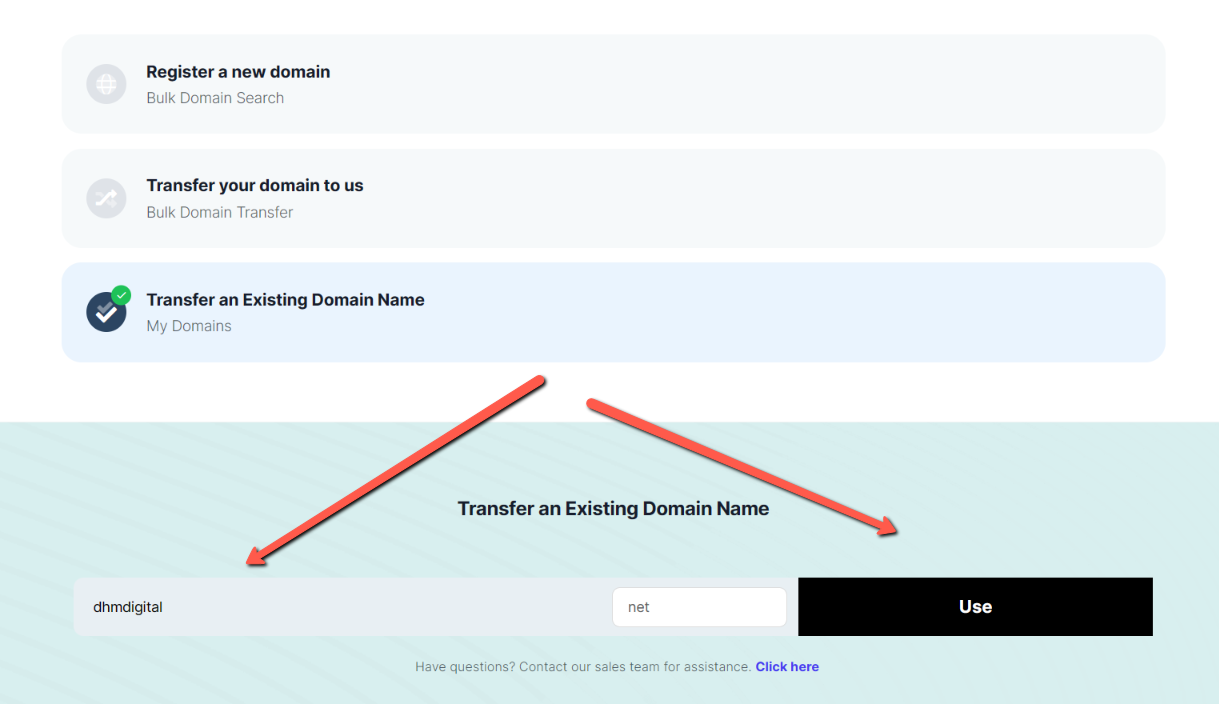
Step 1: Provide a domain name
Register a new domain name
If you don’t have an existing domain name or you want to create your account with a new domain name, you can register a new domain and the cost is added to the checkout
Transfer your domain to us
This option is not applicable for new accounts, if you have a domain and want to host with us, use the option below to use your existing domain and you will see the option to transfer your domain in the admin area
Transfer an Existing Domain Name
Select this option to use an existing domain you own, enter the domain and click to use and the account will be created using this domain and you simply change the nameservers in your current hosting
Step 2
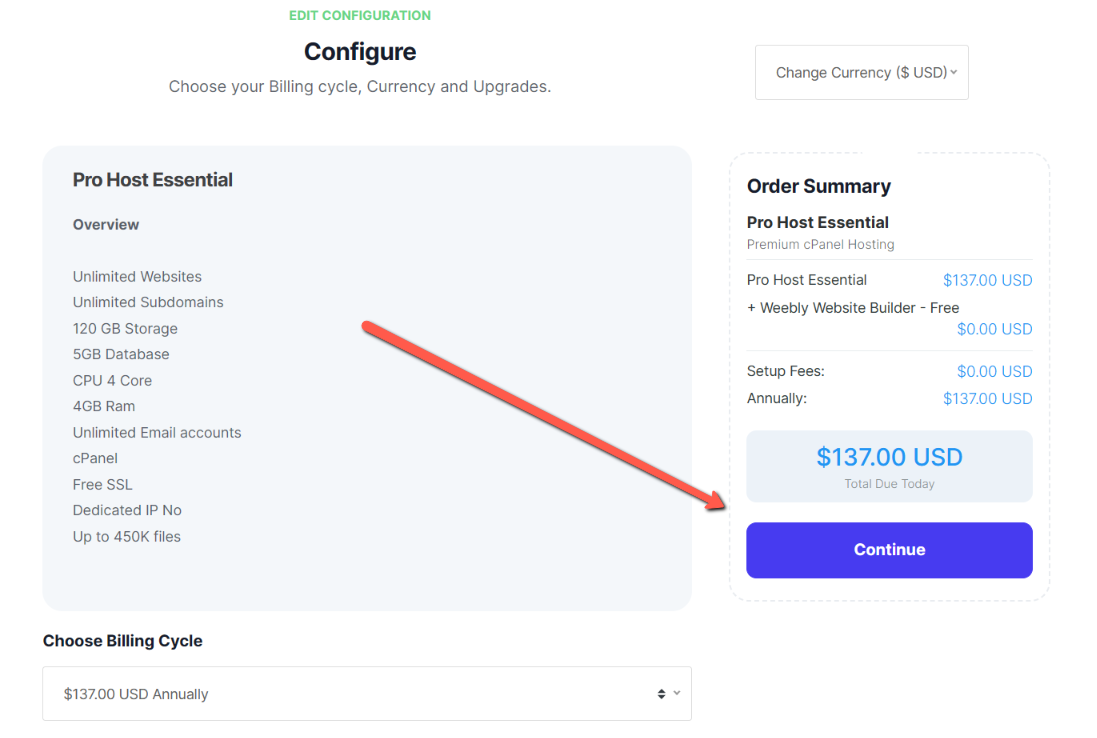
Configure your service
Once you choose the domain option you wish to use, you will see this screen
Click to Continue (Don't worry about the price, we provide a 100% coupon on the next page)
Step 3
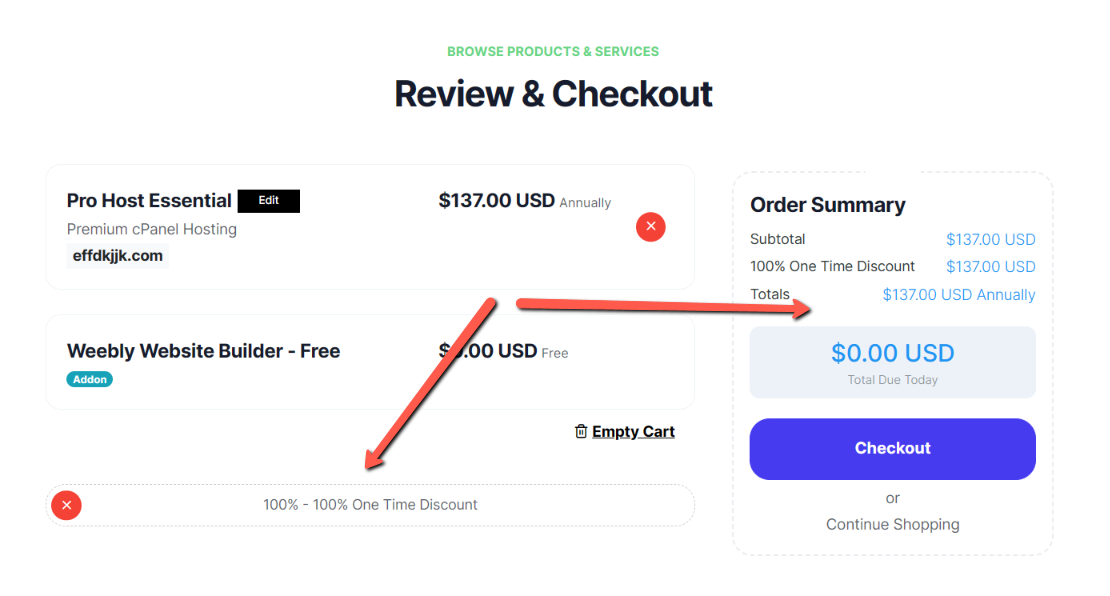
Review & Checkout
You will see the price is $137 which is our current cost of the Enterprise plan
Scroll down and enter the code 100% in the promotional code field and click Validate Code
The price now shows 0 and click to confirm
Step 4
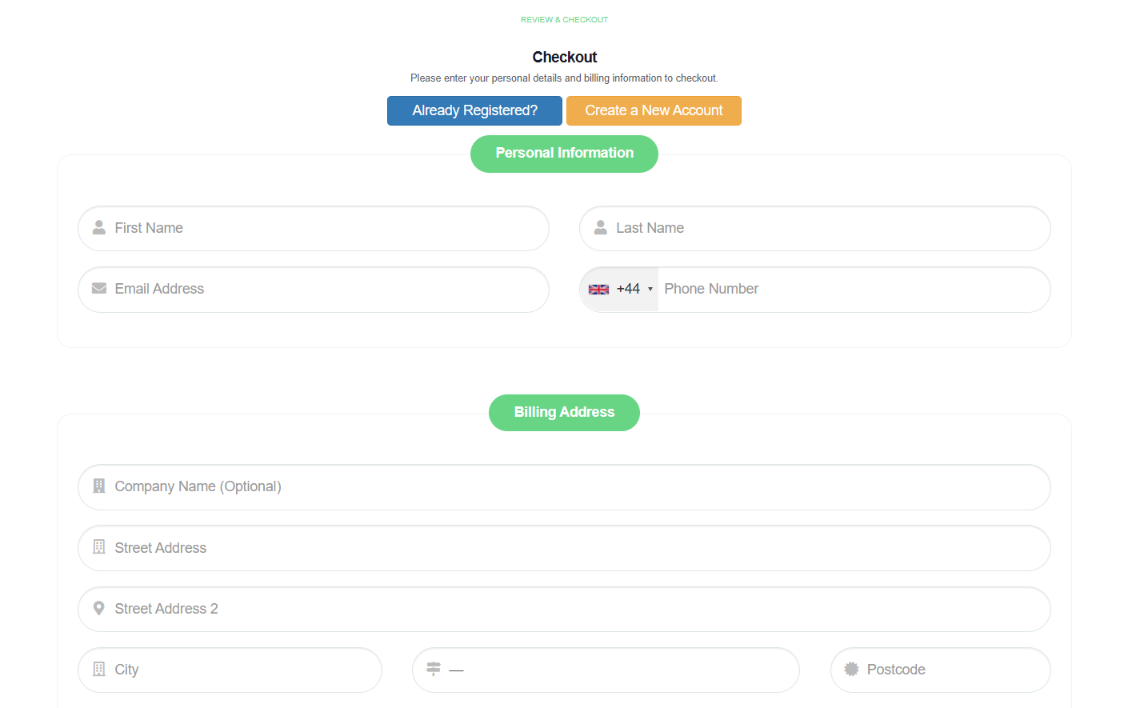
Complete the account registration
Complete the registration, select the payment method you want to register in your account for any additional services you may wish to purchase at a later date, read and agree to the terms and conditions and your account will be created.
We ask you to login to the email account you have used to confirm the email is yours and you will receive your login details by return
Admin Area
Once the account has been created you will access the admin area, you can see important information and access links to cPanel
Setting up the basics
We provide a comprehensive knowledgebase that provides information on all aspects of cPanel and WordPress and you can access directly from your admin panel, website home page or CLICK HERE

Email: support@inboxingprohost.com
Support: Please Click Here
We Offer Secure Payment Processing